
- Top Pick: SABRENT USB 3.0 Dual Bay Hard Drive Docking Station & Cloner (EC-HD2B)
- Best Value: M.2 NVMe & SATA SSD/HDD Hard Drive Docking Station, ICY BOX USB-C 10Gbps NVMe Cloner&Reader, TripleBay Hard Drive cloner for 2.5"/3.5" SSD&HDD Hard Drives, Offline Cloning, Tool-Free (3 Bay)
- Premium Choice: SABRENT Dual-Bay USB-C Hard Drive Docking Station & Cloner (EC-CH2B)
A failing drive, a laptop upgrade, or a data migration between machines — these are the moments that send people searching for a clone hard drive solution. Not a backup strategy, not cloud sync, but a direct, sector-level duplication that hands you a working copy in minutes rather than hours. Docking stations with offline cloning functions fill that gap, letting you slot a source and target drive side by side and hit a button without booting an operating system or installing software.
The market is crowded with options that look nearly identical on a spec sheet, yet perform very differently depending on drive types, interface speeds, and how faithfully they handle cloning across mismatched capacities. A $20 dock and a $90 dock may both advertise “offline clone,” but one might stall on a 3.5-inch HDD while the other pushes through 16TB per bay at full SATA III bandwidth. This roundup, assembled for 2026, compares published specifications, pricing, and verified owner feedback across eight docking stations that include hard drive cloning as a core feature.
As an Amazon Associate we earn from qualifying purchases at no extra cost to you.


![WAVLINK USB 3.0 and USB C to SATA Dual-Bay External Hard Drive Docking Station for 2.5/3.5 Inch HDD/SSD with UASP (6Gbps), Support Offline Clone/Duplicator Function [16TB X2 ]-Black](https://m.media-amazon.com/images/I/31dgMm3OLfL._SL160_.jpg)


Quick Picks
| Product | Best for | Price |
|---|---|---|
| SABRENT EC-HD2B | Reliable dual-bay cloning on a budget | $39.99 |
| ICY BOX TripleBay | M.2 NVMe and SATA cloning in one station | $79.99 |
| SABRENT EC-CH2B | USB-C laptops needing quick drive swaps | $47.39 |
| BENFEI Dual Bay | Lowest price with USB-C and tool-free access | $25.99 |
| WAVLINK USB 3.0/C Dual-Bay | Dual-interface flexibility with high capacity support | $28.99 |
| WAVLINK Fixed Bezel | Most affordable entry-level cloning dock | $20.99 |
| StarTech SDOCK2U313R | Fastest published clone rate in the group | $89.99 |
| SABRENT DS-UFNC | Lay-flat design for NVMe and SATA drives | $62.99 |
How We Picked
Selection came down to four criteria. First, cloning capability: the unit must support offline duplication without software, because the entire appeal of a hardware dock is bypassing the host machine. Second, interface and throughput: USB-C at 10Gbps or USB 3.0 at 5–6Gbps directly determines how long a 4TB clone takes. Third, drive compatibility: 2.5-inch SSDs, 3.5-inch HDDs, and M.2 NVMe drives are different physical formats, and not every dock handles all three. Fourth, verified owner feedback on reliability over repeated clone cycles, since a single defective unit ruins an entire data migration.
The 8 Best Clone Hard Drive in 2026
SABRENT EC-HD2B
This dual-bay station is the default recommendation for anyone cloning 2.5-inch or 3.5-inch SATA drives via USB 3.0. The button-press offline clone function is straightforward, and SABRENT’s firmware has a long track record for handling mismatched source and target sizes gracefully. Pros include tool-free drive insertion and a compact footprint that sits unobtrusively on a desk. Owners consistently praise the build quality relative to the price. The main con is the absence of USB-C, meaning users with newer laptops need an adapter. Skip this if your workstation only has USB-C ports or if you regularly handle NVMe drives.
ICY BOX TripleBay
The standout in this group for breadth of compatibility: M.2 NVMe, M.2 SATA, 2.5-inch, and 3.5-inch drives all connect through a single tool-free station with USB-C 10Gbps bandwidth. The triple-bay layout means you can clone between drive types, something no other unit here accomplishes as neatly. Pros include the high interface speed and the absence of screws or trays. The con is price — at $79.99, it demands a premium over basic SATA-only docks. Owners note the unit runs warm during extended clones. Skip this if you only handle SATA drives and want to stay under $50.
SABRENT EC-CH2B
A USB-C twin to the EC-HD2B, designed for modern laptops and desktops that have moved past the rectangular USB-A port. The offline clone function works identically: insert source and target, press the button, wait. Pros include native USB-C connectivity and the same trusted SABRENT cloning firmware that handles capacity mismatches. The tool-free bays accept both 2.5-inch and 3.5-inch drives. The con is that USB-C here runs at 5Gbps rather than 10Gbps, so a large HDD clone still takes its time. Skip this if you already have USB-A and want the absolute lowest price.
BENFEI Dual Bay
At $25.99, this is the most affordable USB-C option with UASP and offline cloning listed as features. For occasional home use — swapping a laptop SSD or cloning a small HDD — it delivers functional value. Pros include the tool-free installation design and the USB-C connector, which pairs well with thin laptops. The 5Gbps ceiling is both its speed limit and its con; large 3.5-inch HDD clones will feel sluggish compared to faster docks. Skip this if you routinely clone drives above 2TB or need consistent transfer stability across many cycles.
WAVLINK USB 3.0 and USB-C Dual-Bay
This unit covers both connector types, making it a practical choice for mixed-port environments. Published capacity support of 16TB per bay is generous for the price point. Pros include UASP acceleration at 6Gbps over USB 3.0 and the offline duplicator function. Owners report solid performance cloning mid-range HDDs. The con is that WAVLINK’s documentation and firmware updates trail SABRENT’s, so edge cases with unusual drive sizes occasionally require troubleshooting. Skip this if you want plug-and-clone reliability with zero fuss for large enterprise drives.
WAVLINK Fixed Bezel
The cheapest entry in this roundup at $20.99, targeting users who need basic offline duplication without premium features. Support for 20TB drives per bay is notable at this price. Pros include the USB 3.0 6Gbps interface and the fixed bezel that keeps drives secure during operation. The con is that the fixed bezel design makes drive insertion slower and slightly less convenient than tool-free trays, and there is no USB-C option. Skip this if you clone frequently and value quick drive swaps, or if your computer lacks USB-A ports.
StarTech SDOCK2U313R
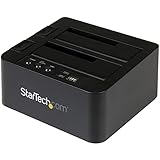
StarTech’s published 28GB/min clone rate is the highest figure listed in this group, placing it in a different performance tier. The dual-bay design handles 2.5-inch and 3.5-inch SATA drives with a dedicated duplicator mode and an LCD readout. Pros include the speed advantage and StarTech’s reputation for industrial-grade build quality with strong warranty support. The con is the $89.99 price, which is roughly triple what budget rivals cost. Owners who buy it for one-off jobs often feel the premium is hard to justify. Skip this unless clone speed genuinely matters for your workflow.
SABRENT DS-UFNC
A lay-flat design with USB-C 10Gbps that handles both NVMe and SATA drives in a horizontal orientation. This is particularly useful for M.2 drives that lack a standard 2.5-inch form factor. Pros include the high USB-C bandwidth and the flat profile that reduces desk footprint. The con is the absence of a second bay, meaning offline cloning between two drives requires a workaround or a separate unit. Owners appreciate the build quality but note that the single-drive layout limits cloning scenarios. Skip this if direct drive-to-drive duplication is your primary need.
Buying Guide
Interface Speed and Connector Type
USB 3.0 caps at 5Gbps while USB 3.1 and USB-C implementations can reach 10Gbps. Since most SATA III drives max out around 6Gbps in practice, the real bottleneck is the mechanical seek time of a 3.5-inch HDD rather than the cable. However, cloning a fast NVMe drive through a 5Gbps interface wastes its potential. Match the dock’s interface speed to your fastest drive type. Also confirm your computer actually has the connector; an adapter adds cost and occasional handshake issues.
Drive Form Factor Support
2.5-inch SSDs and HDDs fit nearly every dock. 3.5-inch HDDs require adequate bay depth and sufficient power delivery — some USB-powered stations cannot spin up a 3.5-inch drive reliably. M.2 NVMe drives need a dedicated slot or adapter. If your cloning tasks span all three form factors, a triple-bay station like the ICY BOX eliminates the need for separate accessories. Otherwise, pick the dock that covers your two most common drive types.
Offline Cloning vs. Software Duplication
Offline cloning runs inside the dock’s firmware: press a button, and the source drive is bit-for-bit copied to the target. The advantage is speed and simplicity — no driver installs, no operating system boot. The limitation is that most hardware cloners cannot clone a drive to a smaller capacity, even if only a fraction of the source is used. If you need flexible partition resizing during duplication, pair the dock with cloning software and use it as a reader instead of a duplicator.
Our Verdict
The SABRENT EC-HD2B is the top pick for most buyers: reliable offline cloning, tool-free bays, broad SATA compatibility, and a price under $40 that leaves room in a modest upgrade budget. For the absolute lowest entry point, the WAVLINK Fixed Bezel at $20.99 handles basic HDD duplication without complaint, provided you have USB-A available and don’t mind the slightly slower drive insertion. If your workload includes NVMe drives and you want a single station that does everything, the ICY BOX TripleBay wins — no other unit here clones between M.2 and 2.5-inch formats out of the box.
FAQ
Can I clone a larger drive to a smaller one with a hardware dock?
Generally no. Hardware offline cloners perform sector-by-sector duplication, so the target must be equal to or larger than the source. If you need to shrink partitions during cloning, connect the target drive to a computer and use software cloning tools instead of relying on the dock’s button.
Do I need software installed to use the offline clone function?
No. The entire purpose of offline cloning is that it runs on the dock’s own firmware. You connect the dock to power, insert source and target drives, press the clone button, and wait. No host computer or software is involved during the duplication itself.
Will a USB-powered dock handle a 3.5-inch HDD?
Most cannot. 3.5-inch drives require 12V power, which a single USB port does not supply. Docks that support 3.5-inch HDDs include a dedicated AC power adapter. Confirm the unit ships with one before purchasing if you plan to clone desktop drives.
How long does a typical clone take?
It depends on drive speed and capacity. A 1TB SSD through a 10Gbps interface may finish in under ten minutes, while a 4TB 5400RPM HDD through USB 3.0 can take an hour or more. Published transfer rates give a ceiling, but sustained performance varies by drive model and workload.




Write Your Review
No reviews yet. Be the first to share your experience!